

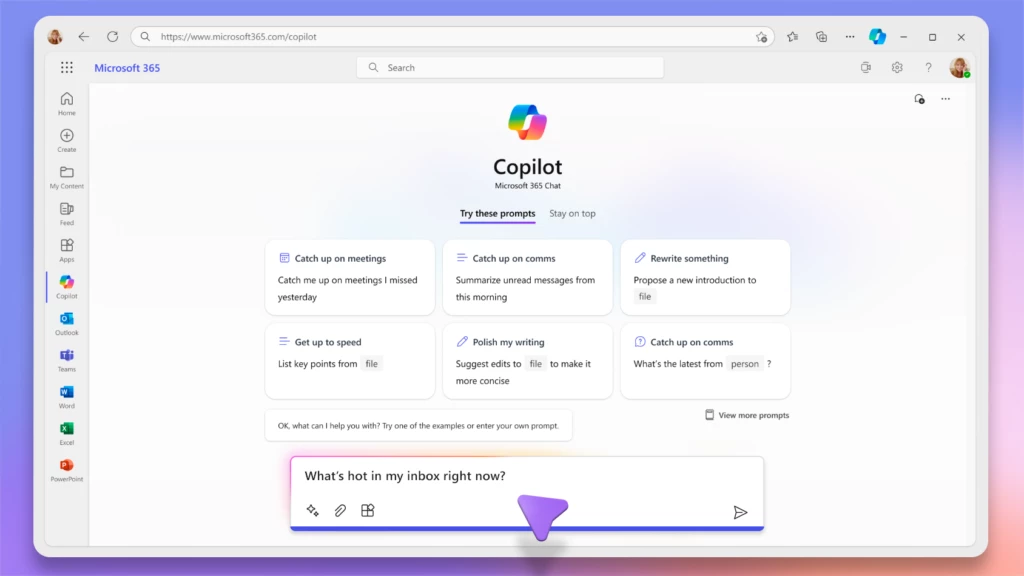
Microsoft has recently launched Copilot for Microsoft 365, marking a significant milestone in the evolution of productivity tools. Alongside this, the introduction of Microsoft 365 Chat offers a new dimension to how users interact and collaborate within the Microsoft ecosystem. These advancements underscore Microsoft’s commitment to enhancing user experiences by leveraging artificial intelligence (AI) and machine learning.
What is Copilot for Microsoft 365?
Copilot for Microsoft 365 is an AI-powered assistant integrated across Microsoft’s suite of applications, including Word, Excel, PowerPoint, Outlook, and Teams. Utilizing the capabilities of OpenAI’s language models, Copilot helps users with a range of tasks from drafting emails to generating complex data visualizations, making daily tasks more efficient and less time-consuming.
Key Features of Copilot
Intelligent Writing and Editing:
In Word: Copilot assists in drafting documents, providing grammar and style suggestions, and even generating content based on brief prompts.
In Outlook: It can draft emails, summarize lengthy threads, and suggest replies, enhancing email productivity.
Data Insights and Analysis:
In Excel: Copilot can analyze datasets, create pivot tables, and generate charts, helping users make data-driven decisions without needing advanced technical skills.
Creative Enhancements:
In PowerPoint: It aids in designing slides, suggesting layouts, and even generating entire presentations from outlines, streamlining the creation process.
Collaboration and Communication:
In Teams: Copilot facilitates meeting scheduling, summarizes discussions, and integrates seamlessly with chats to provide contextual information and task follow-ups.
Microsoft 365 Chat: A New Era of Collaboration
Alongside Copilot, Microsoft has unveiled Microsoft 365 Chat, a comprehensive chat-based interface designed to enhance collaboration and communication across the platform. This feature aims to centralize discussions, integrate with other Microsoft 365 tools, and provide a seamless communication experience.
Key Features of Microsoft 365 Chat
Unified Communication:
Integrates with Outlook and Teams, allowing users to switch between emails and chats effortlessly.
Supports group conversations, file sharing, and real-time collaboration.
Enhanced Search and Contextual Awareness:
Uses AI to provide relevant information and document suggestions based on the chat context.
Enables users to find past conversations, files, and meeting notes quickly.
Task Management:
Integrates with Microsoft To Do and Planner, allowing users to create and manage tasks directly from chat conversations.
Provides reminders and follow-up suggestions to ensure tasks are completed.
Impact on Productivity
The introduction of Copilot for Microsoft 365 and Microsoft 365 Chat represents a significant leap in productivity tools, driven by AI and machine learning. These tools are designed to:
Reduce the time spent on routine tasks.
Enhance the quality and efficiency of work.
Foster better collaboration and communication among teams.
Privacy and Security
Microsoft emphasizes that while these tools harness powerful AI capabilities, user privacy and data security remain paramount. All interactions with Copilot and Microsoft 365 Chat are governed by Microsoft’s stringent privacy policies, ensuring that user data is protected and used responsibly.
Conclusion
Copilot for Microsoft 365 and Microsoft 365 Chat herald a new era in workplace productivity, combining the strengths of AI with the versatility of Microsoft’s application suite. By automating routine tasks, providing intelligent insights, and enhancing communication, these tools empower users to focus on what truly matters—creative, strategic, and impactful work. As businesses and individuals adopt these innovations, the landscape of digital productivity is set to be transformed, paving the way for more efficient and effective work environments.