

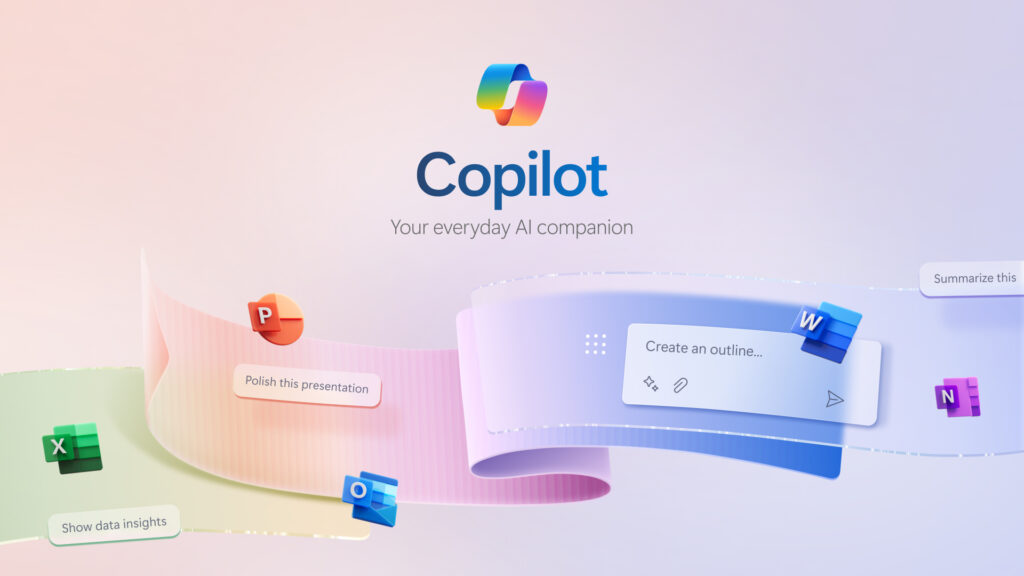
In today’s dynamic work environment, productivity tools are essential, but when combined with AI, they transform from helpful aids to powerful collaborators. Microsoft 365 Copilot is leading this change, empowering employees with AI-powered assistance directly in the applications they use every day, like Word, Excel, PowerPoint, Outlook, and Teams. With Copilot, Microsoft is redefining productivity by helping teams work smarter, not harder. Here’s how it’s revolutionizing the way we work.
Meet Microsoft 365 Copilot
Microsoft 365 Copilot harnesses the power of generative AI to assist users with tasks that were once time-consuming or complex. By embedding advanced AI capabilities within familiar applications, Copilot not only provides insights and suggestions but also helps execute tasks more efficiently. Think of it as a collaborative AI colleague who’s always ready to help with a range of activities, from drafting content and summarizing emails to analyzing data and preparing presentations.
Key Capabilities that Drive Productivity
Enhanced Document Creation with Word
Copilot assists in writing and editing by suggesting content, enhancing style, and rephrasing sentences. If you need a proposal draft, Copilot can quickly generate it based on prior documents or specific points you outline. Editing becomes easier, as Copilot can rephrase, summarize, or even transform complex ideas into clear, concise language, enabling teams to create polished documents with minimal effort.
Data Insights in Excel
Copilot in Excel turns data analysis into an intuitive process. By simply asking questions, users can get instant insights from their data, identify trends, and visualize projections. It can recommend formulas, automate repetitive tasks, and present data in compelling charts, saving time and reducing the learning curve associated with advanced data manipulation.
Powerful Presentations with PowerPoint
Transforming ideas into a professional presentation is easier than ever with Copilot in PowerPoint. It can generate entire slides based on text inputs, convert documents into slide formats, and suggest layouts and visuals. This means users spend less time formatting and more time focusing on the narrative, delivering impactful presentations in record time.
Streamlined Communication in Outlook
Managing email becomes manageable with Copilot’s assistance in Outlook. It summarizes long threads, flags essential action items, drafts responses, and helps prioritize emails, so users can maintain their focus on what matters most. Copilot can even draft responses in the style you prefer, making email communication faster, smarter, and more consistent.
Efficient Collaboration in Teams
In Teams, Copilot helps streamline meetings, manage notes, and organize action items. For instance, during a meeting, Copilot can highlight discussion points, summarize key takeaways, and assign tasks, ensuring everyone is on the same page. This makes meetings more productive and keeps teams aligned on their goals.
Why Microsoft 365 Copilot is Transformative
The power of Copilot lies not only in its capabilities but in the value it brings to every role within an organization. By removing mundane tasks, reducing manual data handling, and improving document and presentation quality, Copilot enables employees to focus on strategic work, driving more significant business outcomes. Here’s how:
Time Savings: Copilot’s ability to automate routine tasks can free up valuable time, enabling users to focus on high-priority work. Microsoft estimates that Copilot could save up to 30% of the time typically spent on administrative tasks.
Enhanced Decision-Making: With quick insights and data visualizations in Excel, users can make data-driven decisions faster and with greater confidence, ultimately leading to better business outcomes.
Improved Collaboration: By summarizing conversations and aligning teams around key action items, Copilot enhances collaboration and ensures teams work cohesively.
Consistent Quality: Through Copilot’s assistance in creating professional-grade documents and presentations, organizations can maintain consistent quality and brand standards, regardless of skill levels across the team.
Security and Privacy at the Core
Microsoft has prioritized privacy and security in Copilot’s design, integrating its AI within Microsoft’s robust security framework. Copilot leverages enterprise-grade data privacy, meaning data is protected and managed under strict compliance standards. This is essential for organizations managing sensitive information, as they can confidently harness the power of AI without compromising on security.
Real-Life Impact: Case Studies
Businesses across industries are already seeing substantial benefits from Microsoft 365 Copilot. For instance:
Healthcare: A hospital administration team uses Copilot to generate patient care summaries and manage follow-up actions, allowing them to provide timely and high-quality care.
Finance: A financial services firm leverages Copilot in Excel to analyze large data sets for market trends, reducing hours of manual analysis to just minutes, which supports quicker, more informed investment decisions.
Education: University faculty use Copilot to manage email communication, helping them respond more efficiently to students, stay organized, and focus more on curriculum development.
A New Era of Productivity
Microsoft 365 Copilot isn’t just about AI features; it’s about enabling teams to work more creatively, make smarter decisions, and achieve goals faster. The power of AI lies in its ability to simplify the complex and eliminate redundant processes, creating a work environment where people can thrive.
By seamlessly integrating into Microsoft’s suite of tools, Copilot empowers employees at every level to supercharge their productivity and bring new value to their roles. As businesses increasingly turn to digital tools to stay competitive, Microsoft 365 Copilot offers a tangible way to do more with less, making work more efficient, impactful, and enjoyable.
Embrace the future of work with Microsoft 365 Copilot, and unlock a new world of productivity.